
What it does
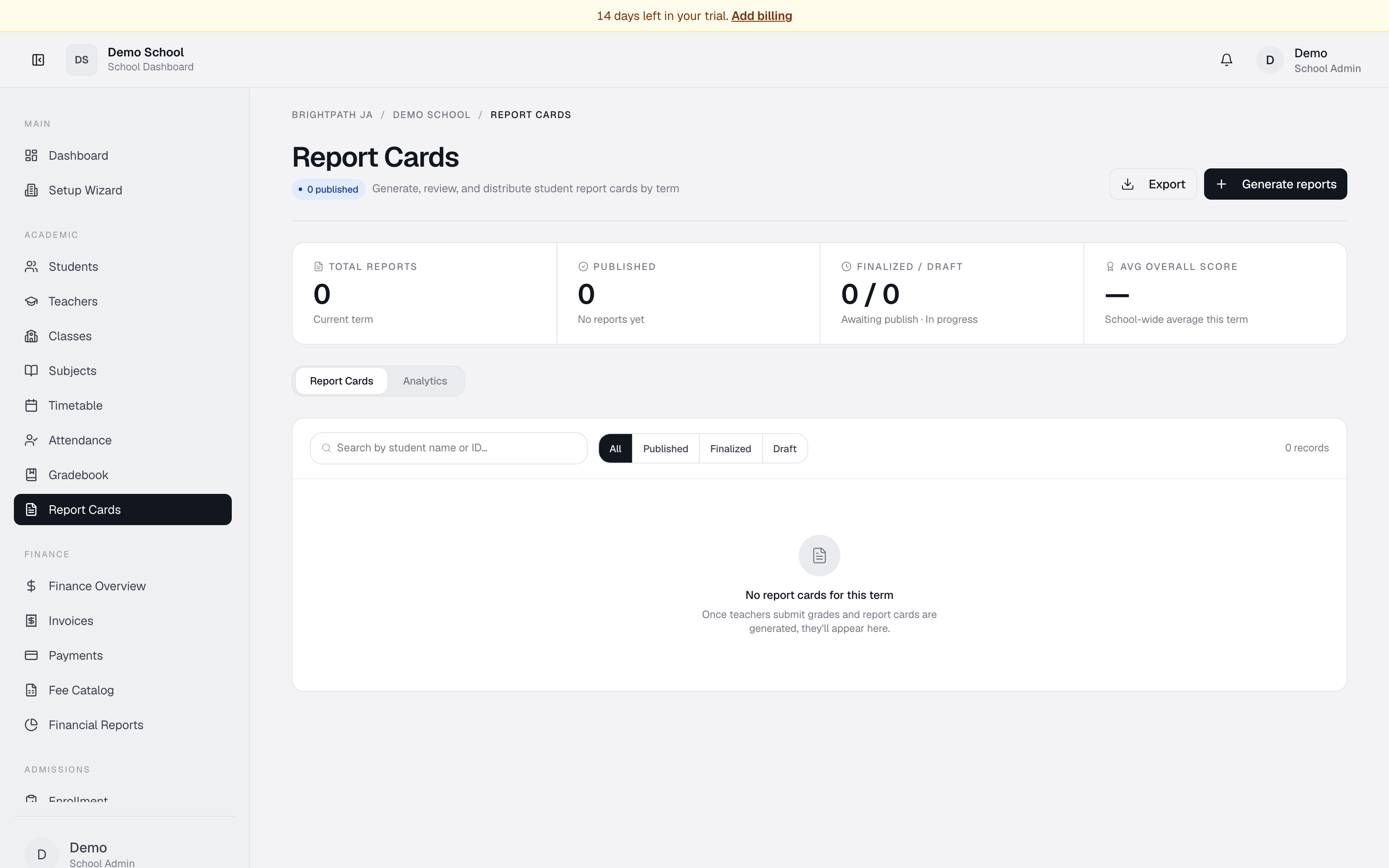
The Report Cards page lets you generate, review, and publish term report cards for all students. Each report card contains grades, attendance, and conduct marks. Filter by status (Draft, Finalized, Published), search by student name or admission number, and view analytics on subject performance across grades.
Who uses it
- Principal — oversee and approve report card publication.
- Head of Department — review and finalize grades for their department.
- Teacher — enter and finalize grades for their students.
- Registrar — generate reports and manage distribution.
- Parent — view their child's published report card (read-only).
- Student — view their own published report card (read-only).
Common tasks
Generate report cards for a term
- Open Report Cards from the sidebar.
- Term dropdown defaults to the current term — change if needed.
- Click Generate reports in the top right.
- The system creates a draft report card for each enrolled student.
Search
Type a student's first name, last name, or admission number into the search box.
Filter by status
Click All, Published, Finalized, or Draft. Draft = in progress, Finalized = ready to publish, Published = sent to parents.
Review key metrics
The KPI band shows total reports, published count + completion %, finalized/draft counts, and avg overall score.
View the report card list
Table columns: student, grade, term, status (colour-coded), avg score, attendance bar, conduct.
Export
Click Export for a CSV of all visible report cards.
Switch to Analytics
Click Analytics at the top — bar chart of subject averages across all grade levels, sorted by performance.
Troubleshooting
- No report cards appear — click Generate reports to create them.
- All show "Draft" status — teachers/admins need to enter grades and finalize.
- "Avg overall score" shows "—" — no finalized cards yet.
- Attendance column shows "—" — record daily attendance in Attendance first.
- Conduct column empty — conduct grades aren't yet recorded in the system.
Limits & known issues
- Conduct grades are not yet recorded — the column appears but is empty.
- Teacher comment / student notes fields are not yet implemented.
- Publication workflow is simple: Draft → Finalized → Published. No multi-step approval chain yet.
- Export is CSV only — PDF export is not yet available.
- Parents see only their own child's published cards via the Parent Portal.